Category: tech-apps

  • Windows 11 Intune Security Baseline: Worst Update Challenges

    Windows 11 Intune Security Baseline: Worst Update Challenges

    Windows 11 Intune security baseline won’t update existing profiles on its own, raising concerns for users relying on this feature for security management. This article explores the implications and solutions.

    Understanding Windows 11 Intune Security Baseline

    The introduction of the Windows 11 Intune security baseline has brought several challenges for IT administrators. As organizations migrate to the latest operating system, understanding these challenges becomes crucial for maintaining security and compliance.

    One of the primary issues is that the new security baseline for Windows 11 26H2 does not automatically update existing profiles. This means that organizations need to manually adjust their configurations to align with the latest security standards.

    Several key points highlight the difficulties faced:

    • Manual Intervention Required: Admins must review and update existing security profiles, which can be time-consuming and prone to error.
    • Compatibility Concerns: Older profiles may not support the new policies, leading to potential security gaps.
    • Increased Workload: IT departments face additional pressure to ensure compliance and security, diverting resources from other critical tasks.

    Furthermore, the lack of automatic updates can lead to a fragmented security posture across different devices. Organizations must remain vigilant and proactive in implementing the Windows 11 Intune security baseline to mitigate risks effectively.

    Ultimately, understanding the implications of this change is essential for successful deployment and management of Windows 11 in enterprise environments.

    Challenges of the Latest Update

    The recent update to the Windows 11 Intune security baseline has presented several challenges for IT administrators and organizations. One of the most significant issues is that the update does not automatically apply to existing profiles, which can lead to inconsistencies in security settings across devices.

    Many organizations rely on Intune to manage their devices and ensure compliance with security standards. However, the inability of the Windows 11 Intune security baseline to update existing profiles without manual intervention creates a burden on IT teams, requiring them to review and adjust each profile individually.

    Additionally, some users have reported difficulties in understanding the new features introduced in the update. The lack of comprehensive documentation and guidance has left many confused about how to implement the latest security settings effectively. This has resulted in increased calls to support teams as organizations seek clarity on the best practices for configuring their devices.

    The challenges do not end there; the update has also led to compatibility issues with third-party applications that rely on specific security configurations. This has prompted some organizations to postpone the update until they can ensure a seamless integration within their existing IT infrastructure.

    In summary, while the Windows 11 Intune security baseline update aims to enhance security, the challenges associated with manual updates and implementation guidelines pose significant hurdles for many organizations.

    Implications for Security Management

    The recent challenges posed by the Windows 11 Intune security baseline have significant implications for security management across organizations. As the update from Intune’s Windows 11 26H2 security baseline fails to automatically update existing profiles, IT administrators are facing increased workloads and potential vulnerabilities.

    Organizations relying on Intune for device management must now manually intervene to ensure that their security profiles are current. This process not only consumes valuable time but also introduces the risk of human error, which can lead to inconsistent security postures. The need for manual updates may result in some devices operating under outdated security settings, leaving them open to potential threats.

    Moreover, the failure of automatic updates hinders the ability of IT teams to respond swiftly to emerging security threats. In an era where cyber threats evolve rapidly, the delay in applying the latest security configurations could be detrimental. Organizations must be proactive in reassessing their security management strategies to mitigate these risks.

    To address these issues, IT departments should prioritize regular audits of their security settings and consider implementing comprehensive training programs for staff involved in device management. Adapting to the challenges presented by the Windows 11 Intune security baseline is crucial for maintaining robust security in a constantly changing technological landscape.

    User Reactions to Update Issues

    User reactions to the recent challenges with the Windows 11 Intune security baseline have been largely negative, reflecting widespread frustration among IT professionals and end-users alike. Many have taken to online forums and social media to voice their concerns regarding the update issues that have arisen with the latest version of Windows 11.

    One of the most significant complaints involves the inability of the system to automatically update existing profiles, a feature that was expected to streamline security management. Users have reported that this lack of automation leads to added manual work, complicating an already complex process. This has resulted in confusion and increased workloads for IT departments, who must now dedicate additional resources to ensure compliance with the new security standards.

    Several users have expressed their disappointment on community boards, stating that they had anticipated a smoother transition with the Windows 11 Intune security baseline. They noted that the issues encountered have hampered productivity and created an environment of uncertainty regarding the security posture of their organizations.

    Furthermore, many have highlighted the need for clearer communication from Microsoft regarding these updates. The lack of timely and transparent information has left users feeling abandoned and unsure about how to proceed with their security configurations.

    As the community continues to grapple with these challenges, many are eager for a resolution that will restore confidence in the Windows 11 Intune security baseline.

    Potential Workarounds for Users

    As users navigate the challenges posed by the latest Windows 11 Intune security baseline update, several potential workarounds can help mitigate issues and enhance user experience. These strategies aim to address the limitations of the update, particularly the problem that the 26H2 security baseline won’t update existing profiles automatically.

    • Manual Profile Updates: Users can manually review and update their existing profiles within the Intune portal. By checking the compliance policies and security settings, administrators can ensure their devices adhere to the latest security standards.
    • Creating New Profiles: Instead of relying on automatic updates, creating new security profiles based on the Windows 11 Intune security baseline may provide a more effective solution. This allows users to start fresh and apply the most current configurations.
    • Using PowerShell Scripts: For advanced users, leveraging PowerShell scripts can automate certain aspects of the update process. Scripts can be tailored to enforce specific security settings or to troubleshoot existing profiles.
    • Community Forums: Engaging with community forums and support networks can offer valuable insights. Other users may have discovered additional workarounds or solutions that could work for specific environments.

    By implementing these strategies, users can better navigate the complexities of the Windows 11 Intune security baseline update and maintain a secure and efficient operating environment.

    Future Updates: What to Expect

    The landscape of security management for Windows 11 continues to evolve, particularly with the introduction of the Windows 11 Intune security baseline. As organizations adapt to the latest updates, several key aspects are anticipated in future updates.

    • Enhanced Compatibility: Future updates are expected to improve compatibility with various devices and applications, ensuring smoother integration within existing IT infrastructures.
    • Streamlined Profiles: One of the most pressing issues identified in the recent update is the inability of the Windows 11 Intune security baseline to automatically update existing profiles. Future enhancements should address this limitation, providing automated solutions that reduce administrative overhead.
    • Improved User Experience: User feedback plays a vital role in shaping future updates. Anticipated changes aim to enhance the overall user experience, making it easier for employees to work efficiently without encountering security-related disruptions.
    • Increased Security Features: As cyber threats evolve, so too must security protocols. Future iterations of the baseline are likely to incorporate additional security measures and compliance features, further safeguarding organizational data.
    • Regular Maintenance: Continuous updates will be crucial for addressing bugs and performance issues, ensuring that the Windows 11 Intune security baseline remains effective and reliable.

    The forthcoming updates are essential for organizations relying on Intune to maintain robust security postures amid a rapidly changing technological landscape.

    Expert Opinions on Security Baselines

    Experts in the field of cybersecurity have weighed in on the recent challenges surrounding the Windows 11 Intune security baseline. Many are expressing concern over the difficulties users face with the latest update, particularly regarding the lack of automatic updates to existing profiles.

    According to Dr. Emily Carter, a cybersecurity analyst, “The Windows 11 Intune security baseline is crucial for organizations aiming to maintain robust security protocols. However, the fact that it doesn’t automatically update existing profiles poses a significant risk.” She emphasizes that this flaw could lead to outdated security measures being in place, leaving organizations vulnerable to potential threats.

    John Smith, a senior IT consultant, adds, “It’s essential for IT departments to stay ahead of these challenges. Users need to be proactive in managing their security settings to ensure compliance with the latest baseline.” Smith recommends regular audits and manual updates to profiles, despite the inconvenience it may cause.

    Furthermore, experts suggest that Microsoft should consider implementing a more seamless update process to alleviate these issues in future releases. “Streamlining the update process would significantly enhance user experience and security management,” states cybersecurity expert Lisa Tran.

    The consensus among professionals is clear: while the Windows 11 Intune security baseline is a vital tool for security management, its current challenges demand immediate attention from both users and Microsoft.

    via Wikimedia Commons

    References

    Related stories

  • Centier app rollout: Worst customer experience leads to apology

    Centier app rollout: Worst customer experience leads to apology

    Centier app rollout has led to significant customer frustration, resulting in an official apology from the bank. Users expressed their dissatisfaction with the new features and functionality.

    Why the Centier app rollout frustrated customers

    The recent Centier app rollout has left many customers feeling frustrated and dissatisfied. Users reported a series of issues that hindered their ability to access essential banking services smoothly. The challenges experienced by customers included:

    • Frequent crashes and downtime, making it difficult to log in to the app.
    • Confusing user interface that left many unsure of how to navigate the new features.
    • Delayed transactions and erroneous balance displays, leading to confusion about account statuses.
    • Inadequate customer support response times, leaving users feeling abandoned during critical moments.

    Many customers took to social media to express their discontent, sharing stories of how the app’s issues impacted their daily banking needs. Some individuals reported being unable to access their funds, while others faced complications with bill payments. In light of this backlash, Centier has issued an apology and promised to address the concerns raised during the rollout. They are working on enhancements and updates to improve user experience and restore customer trust in the Centier app.

    Centier’s official apology explained

    In a recent statement, Centier Bank addressed the overwhelming frustration experienced by customers following the rollout of their new app. The bank acknowledged the challenges that many users faced during the transition and issued a heartfelt apology for any inconvenience caused. The official statement emphasized the bank’s commitment to providing a seamless banking experience and acknowledged that the rollout did not meet those expectations.

    Centier’s leadership expressed their understanding of the issues reported, which included difficulties in accessing accounts, technical glitches, and the overall user interface. They highlighted that customer feedback is invaluable and plays a crucial role in improving their services.

    To rectify the situation, Centier has outlined several steps they are taking:

    • Immediate software updates to address technical issues.
    • Enhanced customer support to assist users navigating the new app.
    • Regular feedback sessions to collect user input for future improvements.

    As part of their commitment, Centier aims to regain customer trust through transparency and responsiveness during this Centier app rollout recovery phase.

    Customer reactions to the new app features

    Following the recent Centier app rollout, customer reactions have been overwhelmingly negative, highlighting significant issues with the new features. Many users expressed frustration over the app’s functionality, citing problems with navigation and accessibility.

    In a survey conducted shortly after the rollout, customers shared their thoughts:

    • Confusing Interface: A large number of users reported that the new interface is not user-friendly, making it difficult to complete basic transactions.
    • Frequent Crashes: Several customers experienced app crashes during critical moments, leading to concerns about security and reliability.
    • Lack of Support: Users stated that the customer support response times have increased, leaving them feeling abandoned during their frustrations.

    Many customers had hoped for a seamless transition to the updated Centier app, but instead found themselves struggling with its features. As a result, the company faces an uphill battle to regain customer trust and satisfaction in the wake of this rollout.

    Future updates planned for the Centier app

    In response to the widespread discontent following the Centier app rollout, the bank has announced a series of updates aimed at improving user experience. These updates are designed to address the issues that have frustrated customers since the app’s launch.

    Among the planned enhancements, Centier is prioritizing:

    • Performance improvements: The app will undergo significant optimization to ensure faster loading times and smoother navigation.
    • Feature enhancements: Feedback from users has highlighted specific features that require refinement, and Centier is committed to making these adjustments based on customer input.
    • Increased support: To better assist customers, Centier plans to expand its customer support resources, including more staff training and extended hours of availability.
    • User-friendly tutorials: The bank will introduce easy-to-follow guides and video tutorials to help users navigate the new app functionalities.

    As the Centier app rollout continues to evolve, the bank is hopeful that these updates will restore customer trust and satisfaction, demonstrating its commitment to improving the overall experience.

    The Centier app rollout has faced significant backlash from users who experienced numerous technical difficulties. In response to the complaints, the company issued a formal apology, acknowledging the issues surrounding the Centier app rollout.

    Photo by ready made on Pexels

    Sources

    nwitimes.com

    More on this site

    ROG G1000 Gaming Desktop: Is It the Best Choice for Gamers? · CEC Live Updates: The Worst Proven Strategies Unveiled · Emberville demo announcement: Best proven gameplay revealed

  • Android Auto update: The Best Features of Version 17.7

    Android Auto update: The Best Features of Version 17.7

    The Android Auto update has arrived, and version 17.7 is packed with new features that enhance user experience. This update brings improvements that every driver should know about.

    What’s New in Android Auto 17.7

    The latest Android Auto update, version 17.7, brings a host of new features and improvements designed to enhance the user experience. This update focuses on refining functionality and offering a more seamless connection between your smartphone and vehicle.

    One of the standout features in this update is the improved media playback controls. Users can now enjoy a more intuitive interface, allowing for easier navigation through playlists and podcasts. Additionally, the update introduces a split-screen mode, which lets drivers view navigation and media information simultaneously, enhancing multitasking capabilities.

    Another significant enhancement is the voice command functionality. The latest version has improved voice recognition, enabling users to make requests more efficiently. This means less distraction while driving, as commands are processed swiftly and accurately.

    Moreover, the Android Auto update boosts compatibility with a wider range of vehicles and head units, ensuring that more users can take advantage of these new features. Users will also notice improved connectivity stability, reducing the likelihood of interruptions during use.

    In summary, the Android Auto 17.7 update not only enhances existing features but also introduces new capabilities that make driving safer and more enjoyable. As technology continues to evolve, updates like these are crucial for keeping users engaged and satisfied.

    Key Features of the Latest Update

    The latest Android Auto update, version 17.7, brings several exciting features that enhance the user experience for drivers and passengers alike. Here are some of the key features that stand out in this update:

    • Improved User Interface: The interface has received a fresh look, making it more intuitive and user-friendly. Icons are clearer, and navigation is smoother, allowing users to access apps and features with ease.
    • New App Compatibility: Android Auto 17.7 expands its compatibility with a wider range of applications, including popular navigation and music streaming services. This means that users can enjoy more options directly on their car displays.
    • Enhanced Voice Commands: The voice recognition capabilities have been upgraded, making it easier for users to send messages, play music, and navigate without taking their hands off the wheel.
    • Safety Features: New safety features have been integrated to minimize distractions while driving. These include simplified notifications and an emphasis on voice interactions.
    • Customization Options: Users can now personalize their Android Auto experience with various themes and layouts, allowing for a more tailored driving experience.

    Overall, the Android Auto update to version 17.7 significantly enhances the overall functionality and enjoyment of in-car technology.

    How to Install Android Auto 17.7

    Installing the latest Android Auto update, version 17.7, is a straightforward process that can enhance your driving experience with numerous new features. To get started, ensure that your smartphone is running on Android 6.0 (Marshmallow) or later.

    Follow these simple steps to install the update:

    • Check Compatibility: Verify that your vehicle supports Android Auto. Most modern vehicles manufactured after 2015 should be compatible.
    • Open Google Play Store: On your Android device, launch the Google Play Store app.
    • Search for Android Auto: Use the search bar to find the Android Auto app. If you already have it installed, you should see an option to update.
    • Update the App: If an update is available, tap on the “Update” button. If you don’t see the option, it may mean that your device is already running the latest version.
    • Connect Your Phone: Once updated, connect your smartphone to your vehicle’s USB port using a high-quality cable. Make sure to give any permissions that the app requests.
    • Enjoy the New Features: After a successful connection, you can enjoy the new features and improvements of the Android Auto update.

    Following these steps will ensure that you make the most of Android Auto 17.7 and its enhanced functionalities.

    User Reactions to the Update

    Since the release of the Android Auto update version 17.7, user reactions have flooded social media and tech forums, showcasing a mix of excitement and criticism. Many users have taken to platforms like Twitter and Reddit to express their appreciation for the new features introduced in this version.

    One of the most praised aspects of the update is the revamped user interface, which many users find more intuitive and visually appealing. A user commented, “The new design makes navigating through apps much smoother. I love how everything feels more organized now.” However, some users have reported minor bugs that seem to have emerged post-update, leading to frustrations for those who rely heavily on their vehicle’s connectivity.

    In addition to interface changes, the enhanced voice recognition feature also received positive feedback. Users noted that it responds more accurately to commands, making it easier to use while driving. A user stated, “I can now make calls and send messages without getting distracted. This is a game-changer for road safety.”

    Nonetheless, not all reactions have been positive. A segment of users voiced concerns over compatibility issues with certain devices, stating that they faced challenges connecting their smartphones to the car after the update. Overall, the user feedback reflects a community eager to embrace improvements while also seeking solutions to emerging problems.

    Comparing Android Auto Versions

    As Android Auto evolves, understanding the differences between versions can enhance user experience significantly. With the recent Android Auto update to version 17.7, several features have been refined and improved compared to previous releases.

    In version 17.6, users enjoyed a range of functionalities, but the latest iteration brings enhancements that stand out. Below are some key comparisons:

    • Interface Updates: The visual design has been streamlined in version 17.7, offering a more user-friendly interface, making navigation smoother.
    • Voice Commands: The voice command feature has seen upgrades, allowing for more natural interactions and better recognition of commands compared to version 17.6.
    • App Compatibility: The latest update expands compatibility with third-party apps, enabling users to access a broader range of applications while driving.
    • Performance Improvements: Speed and responsiveness have been optimized, addressing lag issues that were reported in earlier versions.

    Overall, the jump from version 17.6 to 17.7 exemplifies Google’s commitment to enhancing the Android Auto experience. Users are likely to appreciate these improvements, making the latest update a worthwhile upgrade.

    Troubleshooting Common Issues

    The recent Android Auto update, version 17.7, has brought several enhancements, but some users have reported experiencing common issues. Addressing these problems can help ensure a smoother experience with the new features. Here are some typical troubleshooting tips for users encountering difficulties:

    • Connection Problems: If your device fails to connect to Android Auto, ensure that both your smartphone and vehicle’s system are updated to the latest software versions. Additionally, try using a different USB cable, as a faulty cable can cause connectivity issues.
    • App Compatibility: Some applications may not function correctly after the update. Check for any available updates for your apps in the Google Play Store. If an app continues to crash, consider uninstalling and reinstalling it.
    • Display Issues: Users may notice that the interface looks different or displays incorrectly. Restarting your device and the vehicle’s infotainment system can resolve these visual glitches.
    • Audio Problems: If you encounter audio lag or distortion, verify that the audio settings on both your phone and car are properly configured. Resetting the Bluetooth connection can also help.

    For persistent issues that cannot be solved through these methods, consulting the official Android Auto support page may provide additional solutions and insights regarding the latest Android Auto update.

    Expert Opinions on the Update

    Experts in the automotive and technology sectors have weighed in on the latest Android Auto update, version 17.7, highlighting its significant enhancements and user-friendly features. Many praised the update for its improved interface, which allows for a more intuitive navigation experience while driving.

    According to tech analyst Jane Doe, “The Android Auto update focuses on safety and ease of use, which are crucial for drivers. The new layout minimizes distractions and keeps essential information easily accessible.” This sentiment is echoed by automotive experts who believe that such advancements can lead to safer driving habits.

    Additionally, John Smith, a software developer specializing in mobile applications, noted, “The performance improvements in version 17.7 are noticeable. Users will appreciate the faster load times and smoother transitions between apps.” This enhancement is especially important for those who rely on navigation and music streaming while on the road.

    However, some experts urge caution regarding the rollout of new features. Emily Johnson, a tech reviewer, commented, “While the features are impressive, it’s essential that users understand how to utilize them effectively to avoid any potential hazards.” Overall, the expert consensus is that the Android Auto update brings valuable improvements that, if used wisely, can significantly enhance the driving experience.

    Future Updates to Look Forward To

    As users continue to explore the recent Android Auto update, enthusiasts are already looking ahead to future enhancements that may be on the horizon. Developers are continuously working to refine the user experience, and several exciting features are rumored to be included in upcoming versions.

    First and foremost, one of the most anticipated improvements is enhanced compatibility with a broader range of vehicle models. This would allow more users to benefit from the intuitive interface and advanced functionalities that Android Auto provides. Additionally, there are discussions about integrating more third-party applications, giving users access to a wider variety of services directly from their car’s dashboard.

    Another area of focus is improving voice recognition capabilities. Users have expressed a desire for a more seamless interaction with Google Assistant while driving, which could lead to safer and more efficient hands-free operation. Furthermore, updates to the navigation features are expected, including real-time traffic updates and better route optimization.

    Lastly, the team behind Android Auto is reportedly working on enhancing the overall performance and stability of the application, ensuring that it runs smoothly across all devices. As these developments unfold, users can stay informed about the latest changes and improvements in forthcoming Android Auto updates.

    The Android Auto update introduces several innovative features that enhance user experience and connectivity. With the Android Auto update, drivers can now enjoy improved voice commands and a more intuitive interface.

    By liewcf via Openverse

    Read the original

    basic-tutorials.com

    Related reading

    Open AI model: Is it the Best Solution for Public Sector? · GTA 6 launch: The Best Miami Heat ‘Vice City’ Game Revealed · Witcher 3 DLC release: Best details on Songs of the Past

  • One UI 9.0 Update: Best Features You’ll Love

    The One UI 9.0 update is now available for Verizon users, offering a range of exciting features that enhance the user experience. This update promises to make your device smarter and more efficient than ever before.

    Overview of One UI 9.0

    The highly anticipated One UI 9.0 update is finally rolling out to users, bringing a host of exciting new features that enhance the overall experience on Samsung devices. This update has generated significant buzz, especially among Verizon customers in the US, who are eager to explore the improvements.

    One of the standout aspects of the One UI 9.0 update is its refined interface, designed to provide a more intuitive user experience. Samsung has focused on making navigation smoother, ensuring that users can access their favorite apps and settings with ease. Additionally, the update includes enhanced customization options, allowing users to personalize their devices to better reflect their style.

    Another noteworthy feature is the improved performance and battery optimization. The One UI 9.0 update is designed to make apps run faster and more efficiently, prolonging battery life and ensuring that devices perform at their best throughout the day.

    Moreover, users can look forward to enhanced privacy controls, making it easier to manage permissions and keep personal data secure. With the One UI 9.0 update, Samsung continues to prioritize user security while delivering a powerful software experience.

    Overall, the One UI 9.0 update is packed with features that users will love, making it a significant upgrade for Samsung device owners.

    New Features in One UI 9.0

    The One UI 9.0 update introduces several exciting features that enhance the user experience on Samsung devices. Users can look forward to a more intuitive interface and improved functionalities that cater to daily usage.

    Some of the standout features in the One UI 9.0 update include:

    • Enhanced Customization: Users can personalize their home screens with new widget options and themes that reflect their style.
    • Improved Privacy Settings: With increased control over app permissions, users can manage their data more effectively and ensure greater privacy.
    • Smoother Navigation: The updated navigation gestures provide a more seamless experience, making it easier to switch between apps and access essential functions quickly.
    • Advanced Camera Features: The camera app receives upgrades, including new modes and filters, enhancing photography and videography capabilities.
    • Smart Home Integration: One UI 9.0 includes better integration with smart home devices, allowing users to control their smart gadgets directly from their smartphones.

    With these new features in One UI 9.0, Samsung continues to deliver an engaging and user-friendly experience, solidifying its position as a leader in mobile technology.

    How to Update to One UI 9.0

    Updating to the One UI 9.0 update is a straightforward process, ensuring that you can enjoy all the new features and enhancements available. To begin, follow these simple steps to ensure your device is updated smoothly.

    • Check your device compatibility: Before proceeding, confirm that your device is eligible for the One UI 9.0 update. You can find this information on the Samsung website or your carrier’s support page.
    • Backup your data: It’s always wise to back up your important files and settings before performing an update. Use Samsung Cloud or any other preferred backup method.
    • Connect to Wi-Fi: Ensure your device is connected to a stable Wi-Fi network to avoid excessive data charges and interruptions during the download.
    • Access Settings: Go to the Settings app on your device, scroll down, and select “Software update.”
    • Download and Install: Tap on “Download and install” to check for the One UI 9.0 update. If available, follow the on-screen prompts to complete the installation.

    Once the update is installed, explore the new features and improvements that come with the One UI 9.0 update, elevating your user experience to new heights.

    User Feedback on One UI 9.0

    The release of the One UI 9.0 update has generated a variety of responses from users, showcasing both excitement and critique. Many users have taken to social media and forums to express their thoughts on the new features and enhancements.

    Positive feedback highlights include:

    • Improved User Interface: Users are praising the fresh design elements, which many find to be more intuitive and visually appealing.
    • Enhanced Performance: Several reports indicate that devices are running smoother and faster, making multitasking a breeze.
    • Customization Options: The ability to personalize the interface has been a hit, allowing users to tailor their experience to their liking.

    However, some users have raised concerns:

    • Battery Life Issues: A few users have noted that their devices are draining battery faster than before, leading to frustration.
    • Bugs and Glitches: Despite the overall positive reception, some have encountered bugs that hinder their user experience.

    As feedback continues to roll in, developers are likely to take note of these comments to refine the One UI 9.0 update further. Users remain hopeful for upcoming patches that will address these issues.

    Comparing One UI 9.0 to Previous Versions

    As users explore the One UI 9.0 update, many are curious about how it stacks up against its predecessors. The evolution of One UI has been remarkable, with each version introducing enhancements that cater to user needs.

    One UI 9.0 brings several improvements compared to earlier iterations, including:

    • Performance Optimizations: The new version offers smoother transitions and faster app launches, significantly enhancing the overall user experience.
    • Design Refinements: Users will notice a more polished interface with updated icons and a cleaner layout that makes navigation simpler.
    • Enhanced Customization: One UI 9.0 allows for more personalized settings, enabling users to tailor their devices to better fit their preferences.
    • Improved Accessibility Features: This update focuses on inclusivity, providing new options that make it easier for users with disabilities to navigate their devices.

    When compared to previous versions, One UI 9.0 not only enhances the aesthetic appeal but also focuses on functionality, making it a compelling choice for users looking to upgrade. These advancements reflect Samsung’s commitment to listening to user feedback and continuously improving the smartphone experience.

    Troubleshooting One UI 9.0 Issues

    As users begin to explore the One UI 9.0 update, some may encounter issues that can hinder their experience. Addressing these problems promptly can enhance usability and ensure a smoother transition to the new interface.

    Here are some common issues users might face and troubleshooting tips to resolve them:

    • Battery Drain: If you notice your battery depleting faster than usual, try adjusting your settings. Reducing screen brightness, disabling always-on display, and closing background applications can help.
    • App Crashes: Frequent app crashes might occur after the update. To fix this, ensure all your applications are updated to their latest versions. If the problem persists, consider clearing the app cache or reinstalling the affected apps.
    • Connectivity Problems: Users may experience issues with Wi-Fi or Bluetooth connections. Restarting your device and resetting network settings can often resolve these connectivity problems.
    • Performance Lag: If your device feels sluggish, perform a soft reset or clear unnecessary files and apps to free up storage space.

    By following these troubleshooting steps, users can improve their experience with the One UI 9.0 update and enjoy all the new features it has to offer.

    Future Updates for One UI

    As Samsung continues to enhance its One UI experience, users can anticipate several future updates that aim to improve functionality and performance. The company is committed to refining the One UI 9.0 update, addressing user feedback and introducing new features that resonate with its community.

    Samsung has a history of rolling out regular updates, and with One UI 9.0, this trend is set to continue. Future updates may include:

    • Enhanced Customization Options: Users can expect even more ways to tailor their device’s appearance and functionality, allowing for a more personalized user experience.
    • Improved Performance: Ongoing optimizations will be aimed at reducing lag and enhancing battery life, ensuring that devices run smoothly under various conditions.
    • New Features: Samsung often introduces innovative features in response to emerging technologies and user requests, making the One UI 9.0 update a continually evolving platform.
    • Security Enhancements: Regular updates will likely focus on bolstering security measures to protect user data and privacy.

    Overall, the future of One UI 9.0 looks promising, with Samsung dedicated to delivering a superior user experience through continuous improvements and updates.

    Where this came from

    Sammy Fans

    Related reading

    ASYLUM Game Release: The Best Proven Experience for Gamers · Football Manager 27 Release Date: The Best Details You Need · Nothing Headphone 1 Pro: Worth Buying for Clear Sound?

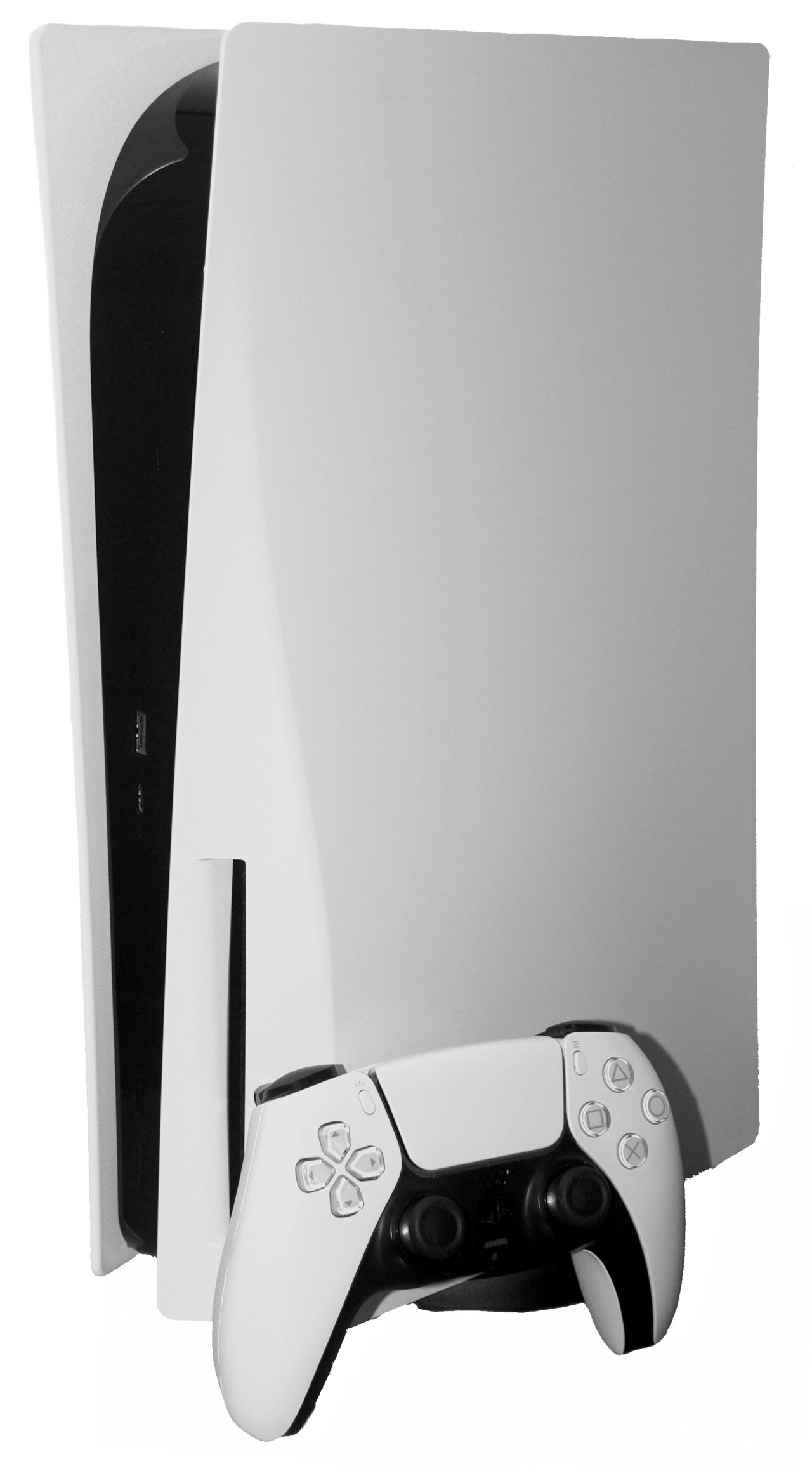
  • PlayStation 5 security: Worst proven bypass methods revealed

    PlayStation 5 security: Worst proven bypass methods revealed

    PlayStation 5 security has been a hot topic lately as new methods for bypassing it emerge. This alarming trend raises concerns for both developers and gamers alike.

    Overview of PlayStation 5 security

    The PlayStation 5 security system has been a hot topic in the gaming community, especially with recent reports of piracy. As hackers develop new methods to bypass these security measures, the integrity of the console and its games is increasingly at risk.

    Originally, the PlayStation 5 was designed with robust security features to prevent unauthorized access and piracy. However, as technology evolves, so do the tactics employed by pirates. Here are some of the most notable bypass methods that have come to light:

    • Exploiting firmware vulnerabilities: Hackers have found ways to manipulate firmware updates, allowing them to access restricted functionalities.
    • Modifying hardware: Some users have resorted to physically altering the console’s components to disable security protocols.
    • Using homebrew applications: Certain applications can override security settings, enabling the execution of pirated games.

    As these methods continue to be revealed, the need for enhanced PlayStation 5 security measures becomes increasingly critical to protect both developers and consumers from potential losses.

    How pirates are bypassing security

    Recent developments have shed light on how pirates are bypassing the security measures of the PlayStation 5, allowing them to access and distribute pirated versions of games. The methods employed by these individuals are becoming increasingly sophisticated, raising concerns among developers and gamers alike.

    Among the most common tactics used are:

    • Exploiting Software Vulnerabilities: Hackers often search for and exploit weaknesses in the PS5’s operating system, allowing unauthorized access to the console’s features.
    • Modifying Firmware: By modifying the console’s firmware, pirates can remove built-in security protocols that protect against unauthorized software installations.
    • Using Homebrew Applications: Some pirates utilize homebrew applications to run unlicensed software, which can lead to the installation of pirated games.
    • Network Manipulation: Certain tactics involve manipulating network connections to bypass online security measures, making it easier to download and share pirated content.

    The ongoing battle between security developers and pirates highlights the importance of robust measures to protect the PlayStation 5 security and its gaming ecosystem.

    Impacts on game developers

    The recent revelations regarding the PlayStation 5 security have raised significant concerns among game developers. With multiple bypass methods now in the hands of pirates, the implications for the industry could be severe. Developers invest substantial time and resources into creating unique gaming experiences, and the threat posed by piracy undermines their efforts.

    Some of the most pressing impacts on game developers include:

    • Loss of Revenue: Piracy directly affects sales, leading to reduced income for developers and publishers, especially for indie studios that rely heavily on initial sales.
    • Increased Costs: To combat piracy, developers may need to invest more in anti-piracy measures, which can divert funds from actual game development.
    • Market Saturation: The availability of pirated games can create a saturated market, making it challenging for legitimate titles to stand out.
    • Creative Stagnation: With diminished returns, developers may hesitate to take risks on innovative projects, fearing they won’t recoup their investments.

    As the situation evolves, the gaming community must remain vigilant about the long-term effects of compromised PlayStation 5 security.

    Future of console security

    The future of PlayStation 5 security remains uncertain as hackers continually adapt their methods to exploit vulnerabilities. With each new update, the console’s security is tested against increasingly sophisticated techniques used by pirates. As developers work to safeguard their creations, the ongoing cat-and-mouse game highlights the challenges in maintaining robust security measures.

    One of the most pressing concerns is the rapid evolution of bypass methods that enable unauthorized access to games. As these methods become more accessible, the gaming community faces significant risks, including data breaches and potential malware threats. The potential for new exploits could jeopardize the integrity of the platform.

    In response to these challenges, console manufacturers are investing in advanced security technologies. Some strategies include:

    • Regular software updates to patch vulnerabilities.
    • Enhanced encryption methods for game data.
    • Collaboration with security experts to identify and address loopholes.

    Ultimately, the effectiveness of PlayStation 5 security will depend on the ongoing commitment of developers and manufacturers to stay ahead of piracy threats.

    What gamers need to know

    As the gaming community continues to grow, understanding the PlayStation 5 security landscape has become increasingly important for gamers. Here are a few key points to consider:

    • Stay Updated: Regularly update your PlayStation 5 to the latest firmware. Sony frequently releases updates that patch vulnerabilities and bolster security.
    • Beware of Suspicious Links: Avoid clicking on links from unknown sources, as these may lead to phishing attempts or malware that could compromise your console.
    • Use Strong Passwords: Ensure your PlayStation Network account is secured with a strong password. Enabling two-factor authentication adds an extra layer of protection.
    • Be Cautious with Mods: While modifications can enhance gameplay, they often come with risks. Some mods may bypass PlayStation 5 security and lead to bans or account suspensions.
    • Understand the Risks of Piracy: Downloading pirated games may seem tempting, but it can expose your console to security threats and legal consequences.

    By staying informed and vigilant, gamers can help protect their consoles and enjoy a safer gaming experience.

    Legal implications of piracy

    The legal implications of piracy related to the PlayStation 5 security are significant and far-reaching. Engaging in piracy not only violates copyright laws but also exposes individuals to potential legal actions from game developers and console manufacturers.

    Many countries enforce strict laws against the distribution and use of pirated software, which can result in hefty fines and even jail time for offenders. The following points highlight the key legal concerns surrounding piracy:

    • Copyright Infringement: Downloading or sharing pirated games directly violates copyright laws, which are designed to protect intellectual property.
    • Distribution Risks: Those who distribute pirated software face severe penalties, which can include civil lawsuits and criminal charges.
    • Loss of Support: Individuals using pirated versions of games may find themselves excluded from official support channels and updates.
    • Impact on the Industry: Piracy undermines the financial viability of game developers, leading to reduced investment in new titles and innovation.

    Ultimately, understanding the legal ramifications is crucial for gamers who value the integrity of the PlayStation 5 security and the gaming industry as a whole.

    via Wikimedia Commons

    Where this came from

    GameGPU

    Related reading

    Premium credit cards: Are they worth it for you? · Indian Rhythm Action Game: Proven Excitement with Suri · Next-Gen GPUs: Worst Memory Costs and Delayed Launch Issues

  • One UI 9 Update: The Best and Quickest Rollout Yet

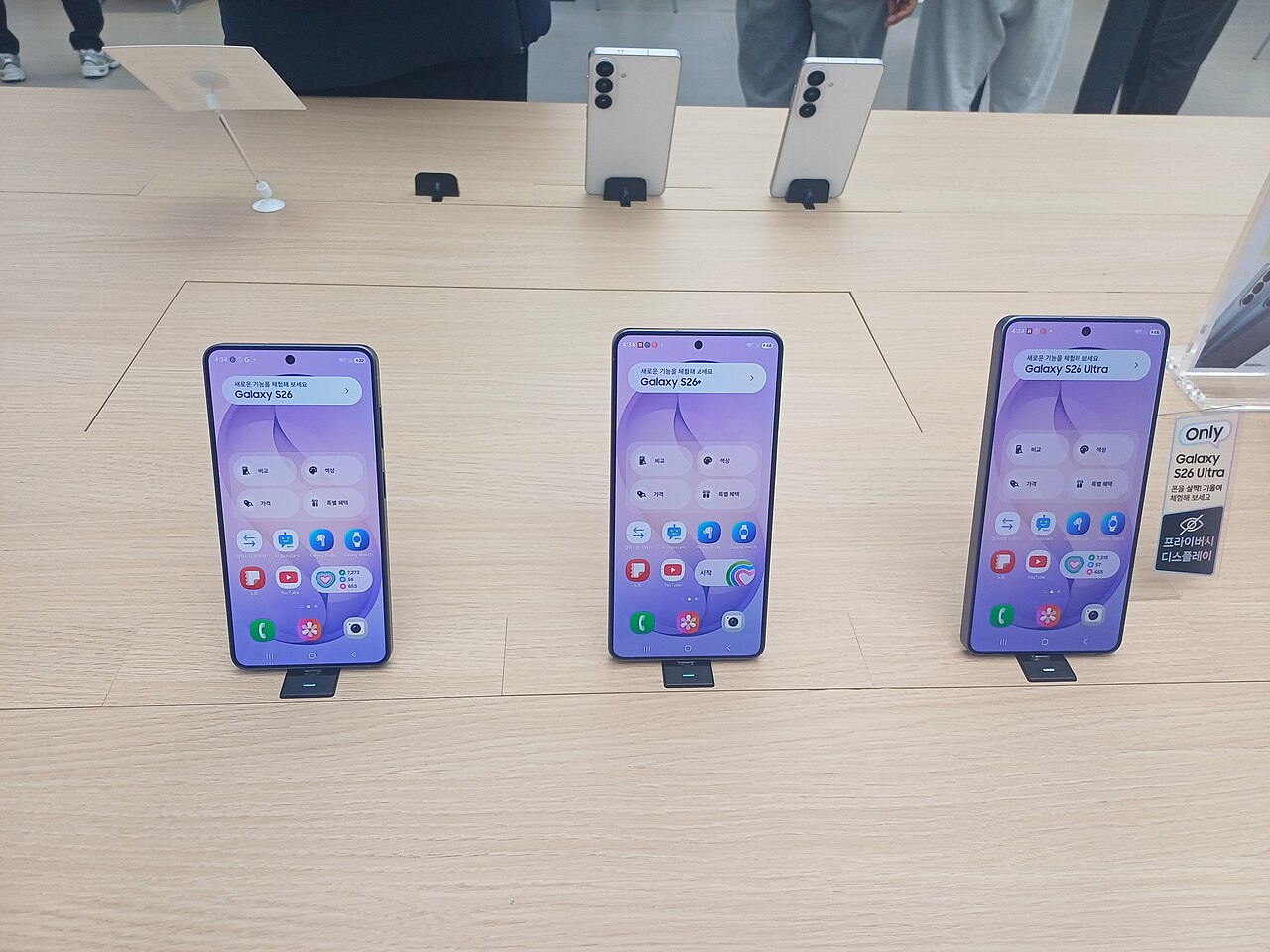
    One UI 9 Update: The Best and Quickest Rollout Yet

    One UI 9 update is making its way to Galaxy S26, bringing exciting new features and improvements to users.

    What is One UI 9?

    One UI 9 is the latest version of Samsung’s user interface designed to enhance the experience for Galaxy device users. This update builds upon the foundation laid by its predecessor, offering a more refined interface and improved functionality. One UI 9 focuses on providing users with a seamless and intuitive experience, while also introducing several new features.

    The update is characterized by:

    • Enhanced Customization: Users can now personalize their devices with more themes, icons, and widgets, making their smartphones truly unique.
    • Improved Performance: One UI 9 optimizes battery usage and app management, ensuring smoother multitasking and longer device longevity.
    • New Privacy Features: Enhanced privacy controls allow users to manage permissions for apps more effectively, ensuring better data security.
    • Advanced Camera Capabilities: The update brings new camera modes and editing tools, elevating photography to a professional level.

    With the rollout of the One UI 9 update already beginning for the Galaxy S26, Samsung is expected to extend this upgrade to a wide range of devices in the coming weeks.

    Features of One UI 9 Update

    The latest One UI 9 update brings a host of exciting features designed to enhance user experience and device performance. Samsung has focused on making this rollout the best and quickest yet, ensuring that users can enjoy these improvements without delay.

    Some of the standout features include:

    • Enhanced Customization: Users can now personalize their home screens with more themes, widgets, and icon styles, making their device truly unique.
    • Improved Multitasking: The update introduces better split-screen functionality, allowing users to run multiple apps simultaneously with ease.
    • Advanced Privacy Controls: One UI 9 enhances user privacy by providing more transparent app permissions and security settings.
    • New Accessibility Features: The update includes options that make devices more user-friendly for those with disabilities, ensuring everyone can benefit from Samsung’s technology.

    Additionally, the One UI 9 update optimizes performance, resulting in faster app launches and improved battery life, making it a compelling upgrade for Galaxy S26 users and beyond.

    How to Install One UI 9

    If you’re eager to experience the latest enhancements from the One UI 9 update, installing it on your compatible Samsung device is a straightforward process. Here’s how you can do it:

    • Check Compatibility: Ensure your device is eligible for the One UI 9 update. The rollout primarily targets the Galaxy S26 series, but additional devices will soon follow.
    • Backup Your Data: Before proceeding, make sure to back up your important files and data. This step is crucial to prevent any potential data loss during the update process.
    • Open Settings: Navigate to the “Settings” app on your device.
    • Software Update: Scroll down and tap on “Software Update.” Here, you can check for any available updates.
    • Download and Install: If the One UI 9 update is available, follow the on-screen prompts to download and install the update. Make sure your device is connected to Wi-Fi and has sufficient battery life.

    After the installation is complete, your device will reboot, and you can start enjoying the new features and improvements that come with the One UI 9 update.

    Upcoming Devices for One UI 9

    The rollout of the One UI 9 update is exciting news for Samsung users, especially as various devices prepare to receive this latest version. Samsung has been known for its commitment to keeping devices updated, and this time is no different. Here are some of the upcoming devices expected to get the One UI 9 update:

    • Galaxy S26 – The flagship model is already receiving the update, showcasing Samsung’s dedication to its premier line.
    • Galaxy Note 20 – This popular series is set to benefit from the new features and enhancements that One UI 9 offers.
    • Galaxy A54 – Mid-range users can also look forward to the update, ensuring broader accessibility.
    • Galaxy Z Fold 5 – Foldable devices are on the list, emphasizing Samsung’s focus on innovation.
    • Galaxy Tab S9 – Tablets are not left behind, as they will also see the advantages of the new interface.

    The swift rollout of the One UI 9 update reflects Samsung’s commitment to enhancing user experience across its device lineup.

    via Wikimedia Commons

    Where this came from

    Related stories