Tag: smartphone

  • One UI 9 Update: The Best and Quickest Rollout Yet

    One UI 9 Update: The Best and Quickest Rollout Yet

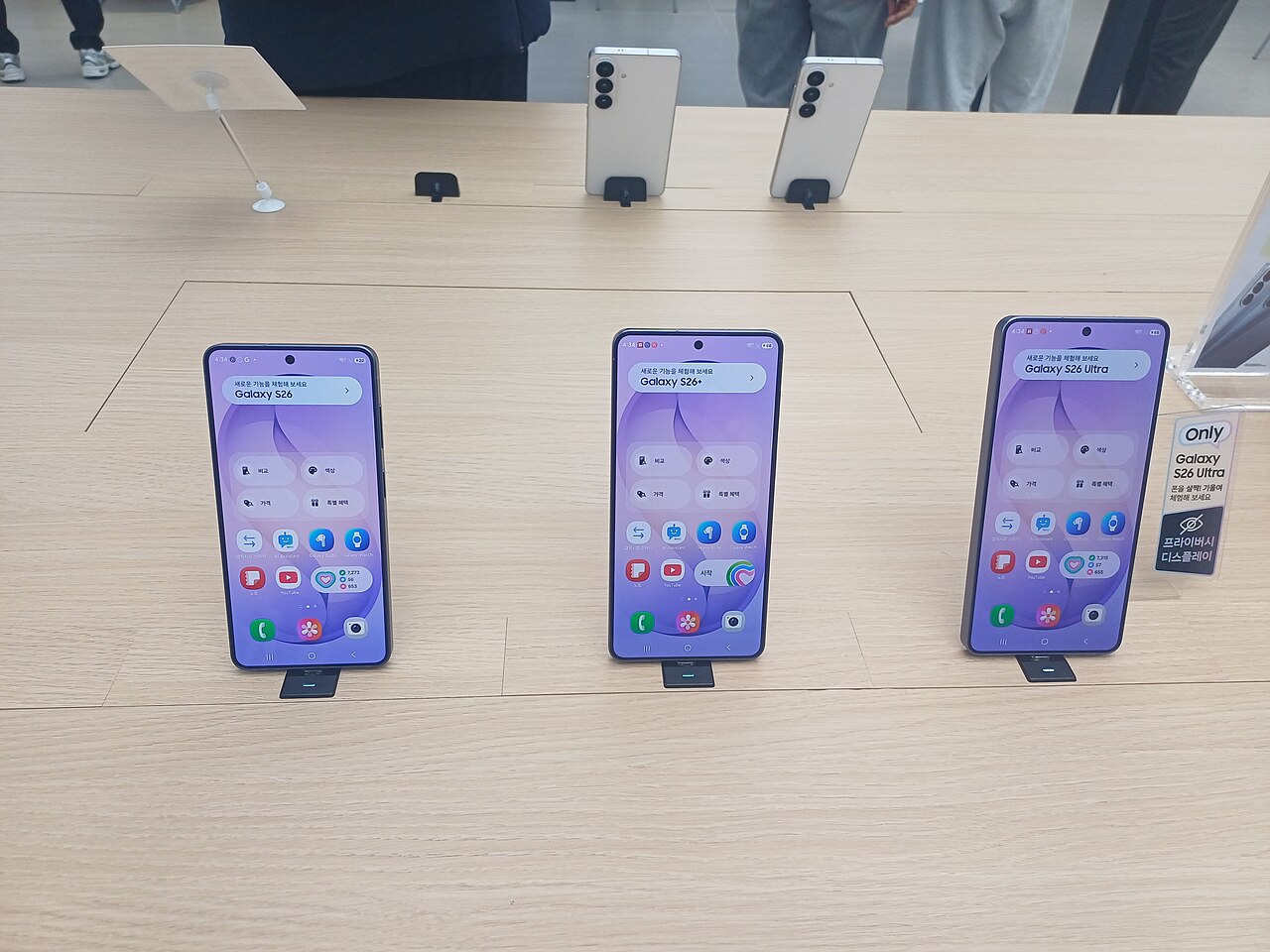
    One UI 9 update is making its way to Galaxy S26, bringing exciting new features and improvements to users.

    What is One UI 9?

    One UI 9 is the latest version of Samsung’s user interface designed to enhance the experience for Galaxy device users. This update builds upon the foundation laid by its predecessor, offering a more refined interface and improved functionality. One UI 9 focuses on providing users with a seamless and intuitive experience, while also introducing several new features.

    The update is characterized by:

    • Enhanced Customization: Users can now personalize their devices with more themes, icons, and widgets, making their smartphones truly unique.
    • Improved Performance: One UI 9 optimizes battery usage and app management, ensuring smoother multitasking and longer device longevity.
    • New Privacy Features: Enhanced privacy controls allow users to manage permissions for apps more effectively, ensuring better data security.
    • Advanced Camera Capabilities: The update brings new camera modes and editing tools, elevating photography to a professional level.

    With the rollout of the One UI 9 update already beginning for the Galaxy S26, Samsung is expected to extend this upgrade to a wide range of devices in the coming weeks.

    Features of One UI 9 Update

    The latest One UI 9 update brings a host of exciting features designed to enhance user experience and device performance. Samsung has focused on making this rollout the best and quickest yet, ensuring that users can enjoy these improvements without delay.

    Some of the standout features include:

    • Enhanced Customization: Users can now personalize their home screens with more themes, widgets, and icon styles, making their device truly unique.
    • Improved Multitasking: The update introduces better split-screen functionality, allowing users to run multiple apps simultaneously with ease.
    • Advanced Privacy Controls: One UI 9 enhances user privacy by providing more transparent app permissions and security settings.
    • New Accessibility Features: The update includes options that make devices more user-friendly for those with disabilities, ensuring everyone can benefit from Samsung’s technology.

    Additionally, the One UI 9 update optimizes performance, resulting in faster app launches and improved battery life, making it a compelling upgrade for Galaxy S26 users and beyond.

    How to Install One UI 9

    If you’re eager to experience the latest enhancements from the One UI 9 update, installing it on your compatible Samsung device is a straightforward process. Here’s how you can do it:

    • Check Compatibility: Ensure your device is eligible for the One UI 9 update. The rollout primarily targets the Galaxy S26 series, but additional devices will soon follow.
    • Backup Your Data: Before proceeding, make sure to back up your important files and data. This step is crucial to prevent any potential data loss during the update process.
    • Open Settings: Navigate to the “Settings” app on your device.
    • Software Update: Scroll down and tap on “Software Update.” Here, you can check for any available updates.
    • Download and Install: If the One UI 9 update is available, follow the on-screen prompts to download and install the update. Make sure your device is connected to Wi-Fi and has sufficient battery life.

    After the installation is complete, your device will reboot, and you can start enjoying the new features and improvements that come with the One UI 9 update.

    Upcoming Devices for One UI 9

    The rollout of the One UI 9 update is exciting news for Samsung users, especially as various devices prepare to receive this latest version. Samsung has been known for its commitment to keeping devices updated, and this time is no different. Here are some of the upcoming devices expected to get the One UI 9 update:

    • Galaxy S26 – The flagship model is already receiving the update, showcasing Samsung’s dedication to its premier line.
    • Galaxy Note 20 – This popular series is set to benefit from the new features and enhancements that One UI 9 offers.
    • Galaxy A54 – Mid-range users can also look forward to the update, ensuring broader accessibility.
    • Galaxy Z Fold 5 – Foldable devices are on the list, emphasizing Samsung’s focus on innovation.
    • Galaxy Tab S9 – Tablets are not left behind, as they will also see the advantages of the new interface.

    The swift rollout of the One UI 9 update reflects Samsung’s commitment to enhancing user experience across its device lineup.

    via Wikimedia Commons

    Where this came from

    Related stories

  • iPhone Duo video: The Best Left-Handed Use Tips Revealed

    iPhone Duo video: The Best Left-Handed Use Tips Revealed

    The iPhone Duo video highlights the left-handed use features of the new model. This innovative approach makes it easier for left-handed users to navigate and enjoy their devices effectively.

    Introduction to the iPhone Duo

    The recently released iPhone Duo has captured the attention of tech enthusiasts, particularly with its unique features tailored for left-handed users. A recent iPhone Duo video highlights innovative ways to maximize the device’s usability for those who prefer using their left hand. This model introduces a variety of enhancements designed to facilitate a more comfortable experience, ensuring that all users can enjoy its advanced capabilities.

    In this video, viewers can discover:

    • Optimal grip techniques for left-handed users
    • Adjustments to settings for easier navigation
    • Accessory recommendations that enhance left-handed operation

    As the iPhone Duo continues to make waves in the smartphone market, it is crucial for users to explore these tips to fully benefit from their device.

    Left-Handed Use Features

    The iPhone Duo video showcases several features designed specifically for left-handed users, making it an ideal choice for those who prefer using their left hand. These features enhance usability and accessibility, ensuring a smooth experience. Here are some standout elements:

    • Reversed Interface: The iPhone Duo allows users to adjust the screen orientation, making it easier for left-handed individuals to navigate.
    • Customizable Control Center: Quick access to essential tools can be tailored to the left side of the screen, streamlining functionality.
    • Gesture Controls: Left-handed gestures are integrated, enabling seamless transitions between apps and features.
    • Ergonomic Design: The shape of the iPhone Duo fits comfortably in the left hand, reducing strain during prolonged use.

    These tips from the iPhone Duo video demonstrate how left-handed users can maximize their experience.

    User Experience Insights

    Users have reported an enhanced experience when using the iPhone Duo video, particularly for those who are left-handed. One significant observation is the device’s ergonomic design, which allows for a comfortable grip that feels natural in the left hand. This design minimizes strain during extended use, making it ideal for activities such as video calls or streaming content.

    Moreover, the iPhone Duo offers customizable settings that cater to left-handed users. Key features include:

    • Reversed Control Center: Easily accessible for left-hand navigation.
    • One-Handed Mode: Simplifies tasks by shifting the interface to one side.
    • Enhanced Voice Command Features: Streamlined for quicker access to functions.

    These thoughtful innovations ensure that left-handed users can fully enjoy the iPhone Duo video experience without compromise.

    Comparing Right vs Left-Handed Use

    When evaluating the iPhone Duo video, it becomes clear that there are significant differences in usability between right-handed and left-handed users. While the device is designed to accommodate both, left-handed users often face unique challenges that may affect their overall experience.

    Key aspects to consider include:

    • Button Placement: The volume and power buttons are strategically located for easier access by right-handed users.
    • Screen Orientation: Left-handed users may need to adjust their grip to avoid accidental touches during one-handed operation.
    • App Accessibility: Certain apps may not be optimized for left-handed use, which can hinder multitasking efficiency.

    By exploring these differences, users can enhance their experience with the iPhone Duo, making the most of its innovative features.

    Expert Opinions on Accessibility

    Experts in accessibility have weighed in on the iPhone Duo video that highlights its left-handed use features. According to Dr. Sarah Jennings, a leading ergonomist, “The iPhone Duo has made significant strides in accommodating left-handed users, ensuring a more seamless experience.” She emphasizes the importance of customizable settings, which allow left-handed users to adjust the interface to their preference.

    Additionally, tech accessibility consultant Mark Lee notes that the dual display can enhance productivity for left-handed individuals. “The iPhone Duo video showcases how users can efficiently multitask, which is particularly beneficial for those who favor their left hand,” he explains.

    With these insights, it becomes clear that the iPhone Duo is not just a technological advancement, but also a step towards inclusivity for all users.

    Tips for Left-Handed Users

    For left-handed users looking to optimize their experience with the iPhone Duo, there are several helpful tips to enhance usability. First, consider adjusting the layout of your home screen. Placing frequently used apps on the left side can make access easier during one-handed use.

    Additionally, utilizing the one-handed keyboard mode can significantly improve typing speed and comfort. This feature can be activated through the keyboard settings, allowing for a more tailored experience.

    When recording videos, such as the iPhone Duo video, positioning the device to the left can create a more stable shot. Finally, investing in a left-handed case can provide better grip and control, ensuring a seamless experience whether you are texting, browsing, or capturing moments.

    Conclusion: Embracing Inclusivity

    In conclusion, the iPhone Duo video has highlighted the importance of inclusivity in technology. As more users embrace left-handed use, it becomes essential for manufacturers to acknowledge and cater to diverse needs. The innovative features of the iPhone Duo demonstrate a commitment to making technology accessible for everyone, regardless of their dominant hand.

    By implementing user-friendly designs and offering tailored tips for left-handed users, Apple sets a precedent for other tech companies to follow. Embracing inclusivity not only enhances the overall user experience but also fosters a sense of belonging among all users.

    Ultimately, the insights gathered from the iPhone Duo video serve as a reminder that technology should be adaptable. By prioritizing the needs of left-handed users, we can create a more inclusive digital landscape.

    By thetechbuzz via Openverse

    Where this came from

    Related reading